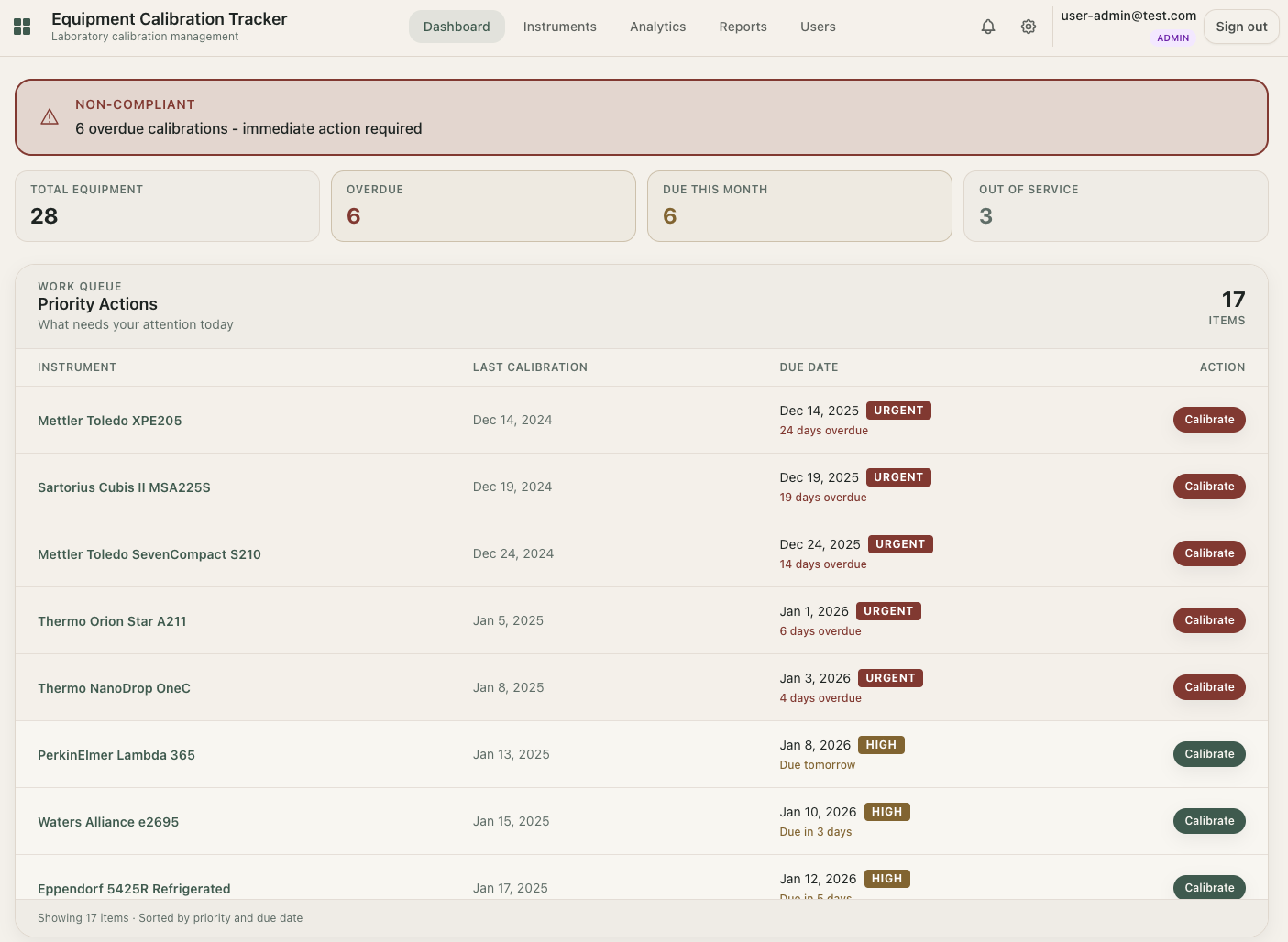
If you run a small lab, Excel probably started as "good enough." You had a list of instruments, a due-date column, and maybe a certificate folder. It worked, until it did not.
The real question is not whether Excel can track calibration. It can. The real question is whether Excel can keep your lab audit-ready as workload, team size, and risk increase.
Why this decision matters now
Search behavior shows buyer intent, not curiosity. Terms like calibration management software and calibration software carry commercial intent, while calibration tracking software and iso 17025 calibration software skew transactional.
That means teams are actively looking to replace spreadsheets, not just learn definitions. If you want the broader market landscape, see our calibration software guide.
Where Excel still works
- You have a small number of instruments.
- One person owns updates end-to-end.
- Calibration cycles are simple and stable.
- Audit requests are rare and lightweight.
Where Excel quietly fails
- Multiple people edit the same sheet.
- Due dates are checked manually.
- Failed calibrations are buried in notes.
- Certificates live across folders and inboxes.
- History gets overwritten instead of preserved.
You usually do not feel this risk daily. You feel it all at once during a quality review, customer audit, or instrument incident.
Calibration Management Software vs Excel
| Capability | Excel | Calibration Software |
|---|---|---|
| Due-date reminders | Manual | Automated notifications |
| Overdue visibility | Formula-dependent | Live dashboard |
| Failed calibration handling | Inconsistent | Structured workflow |
| Out-of-service tracking | Ad hoc notes | First-class event |
| Audit readiness | Prep-heavy | Export-ready records |
| Scale (20 to 500+ assets) | Fragile | Designed to scale |
The hidden cost of "free" spreadsheets
Excel is free in license terms. It is expensive in labor and risk:
- Manual reminder checks every week
- Rebuilding broken files and formulas
- Chasing certificate numbers before audits
- Reconstructing history after team turnover
What better looks like for small labs
You do not need enterprise complexity. You need fewer blind spots. A practical system should provide:
- Reminder-first operations: due soon and overdue visibility without manual checks.
- One timeline per instrument: calibrations, incidents, maintenance, and notes in one place.
- Append-only records: corrections added as new events, not history edits.
- Exception-first tracking: failed calibration and out-of-service captured explicitly.
- Audit-ready exports: records available in minutes, not hours.
When to switch from Excel
If you answer "yes" to two or more, switching now is usually safer:
- Missed at least one due calibration in the last year
- Audit prep still means manual digging
- More than one person edits calibration data
- No reliable timeline per instrument
- You are adding instruments faster than your process can handle
A low-risk migration plan
- Start with active instruments only.
- Import latest calibration events first.
- Set due-date and reminder rules per instrument type.
- Standardize failed calibration and out-of-service workflows.
- Run one internal audit simulation and confirm report completeness.
For practical rollout support, use the calibration interval recommender and due date calculator to set repeatable rules before migration.
Move beyond spreadsheets without adopting a heavy LIMS
LabCalibrate.com is built for small labs that need reminders, traceable history, and audit-ready exports without enterprise overhead.
Create Free AccountFinal takeaway
Excel is a useful starting tool. It is rarely a reliable long-term calibration control system for a growing lab.
If calibration affects quality, uptime, or compliance in your operation, switching to calibration management software is not a "nice to have." It is basic risk control.
Frequently asked questions
Can Excel be enough for calibration tracking?
Yes, for very small labs with one owner and low audit pressure. As instrument count and team size grow, manual checks and version issues usually increase risk.
When should a lab move from Excel to calibration software?
A practical trigger is two or more warning signs: missed due dates, manual audit prep, multiple editors, inconsistent failure handling, or no reliable instrument history.
What features matter most in calibration software?
For small labs: automated reminders, one timeline per instrument, append-only event history, explicit failed calibration and out-of-service events, and audit-ready exports.
Do I need a full LIMS to replace spreadsheets?
Not usually. Many labs benefit from a lightweight calibration-focused system before considering a full LIMS.